 NoteExit
Turn your OneNote notebooks into clean Markdown files.
For anyone moving to Obsidian or plain files. Open a notebook backup on your Windows PC and export every page to Markdown, Word or PDF, with folders, pictures and dates intact. No Microsoft sign-in, nothing uploaded.
Demo video coming soon.
Your notes are stuck, and every way out breaks something
Importers that hang at the Microsoft sign-in, or need admin approval for a work account.
Obsidian forum
Free scripts that need OneNote, Word, pandoc and PowerShell all working together.
onenote-md-exporter
Exports that leave HTML to clean by hand after thirteen years of notes.
Felix Wong, April 2026
Pick a notebook file, get a folder you can open in Obsidian
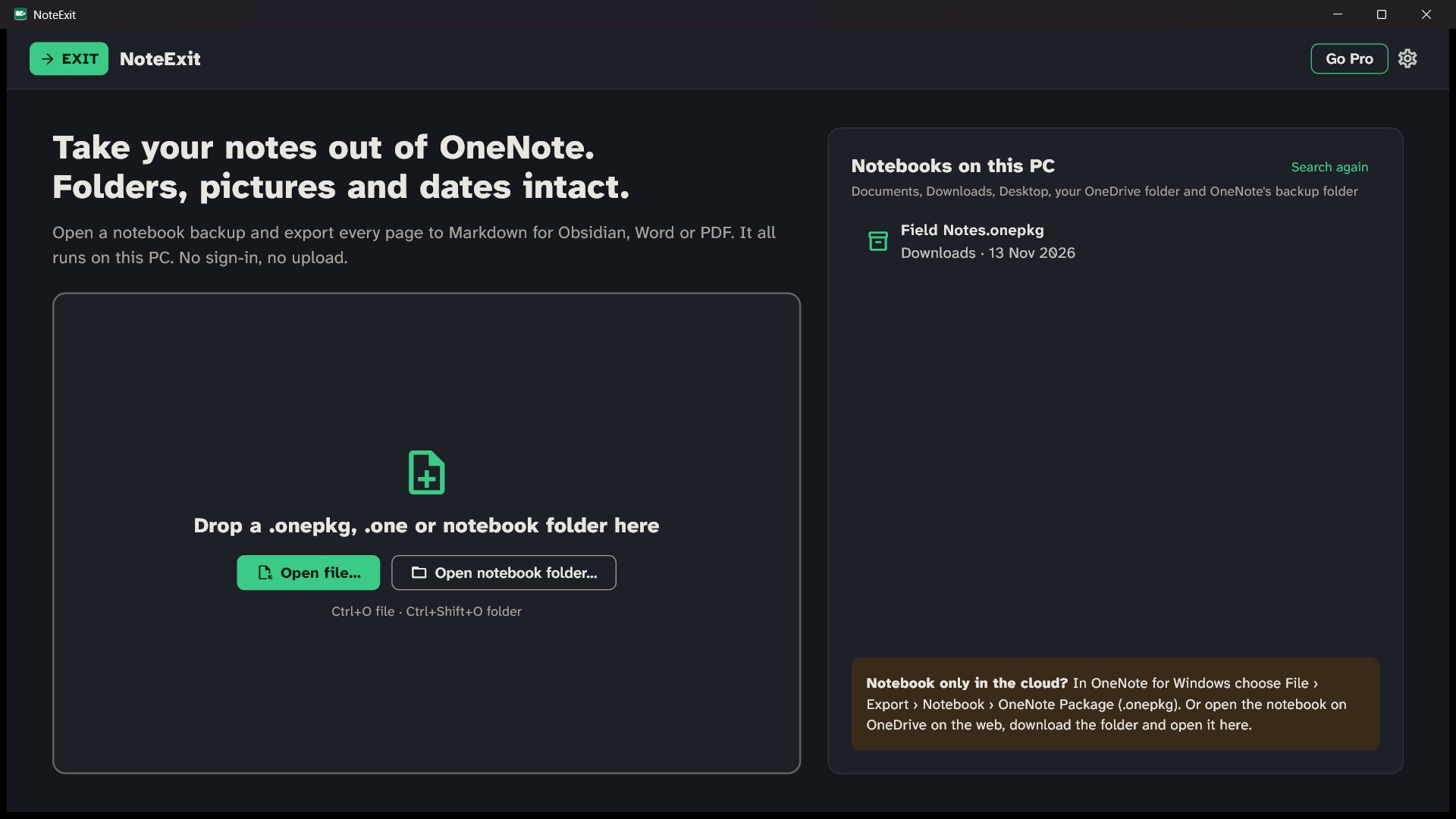
1. Open your notebook
NoteExit finds .onepkg backups, notebook folders and .one files in Documents, Downloads, Desktop, your OneDrive folder and OneNote's backup folder. Or drop one on the window.
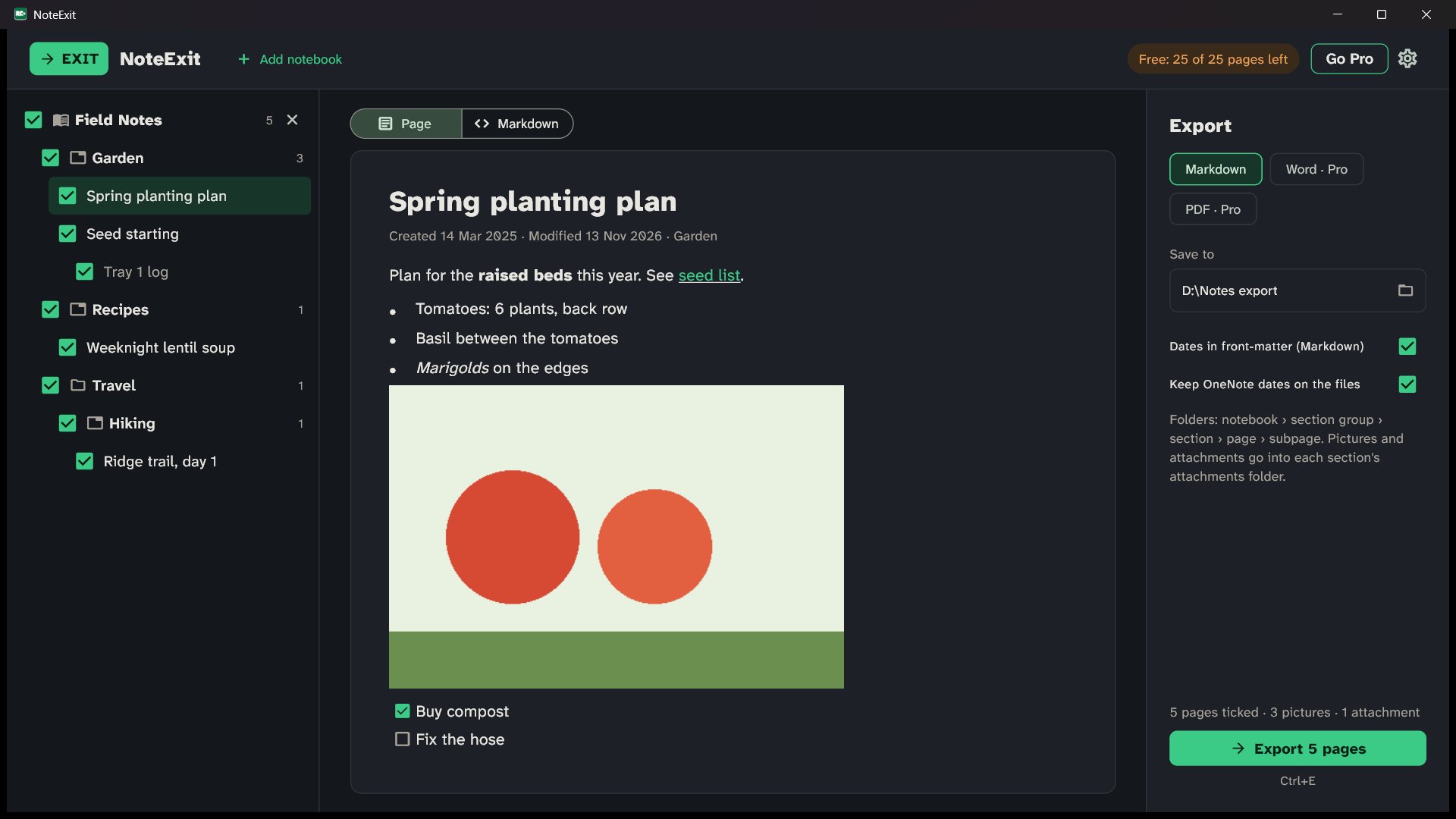
2. Preview any page
See each page as it will look, or as the exact Markdown that will be written: front-matter, tables, to-do boxes and image links.
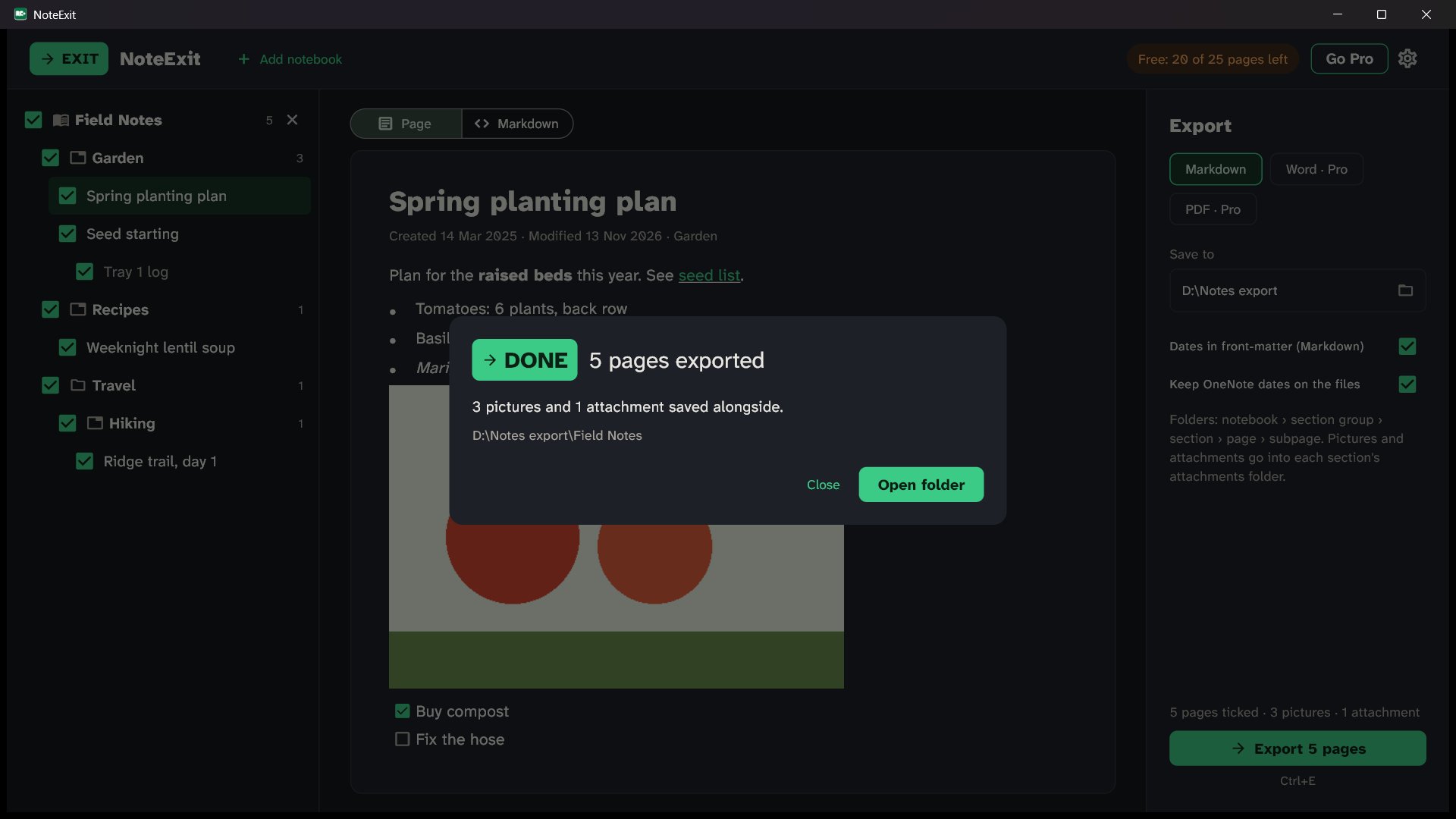
3. Export
Choose Markdown, Word or PDF and a folder. Notebook, section group, section, page and subpage become folders. Pictures and attachments go in each section's attachments folder, and every file keeps its OneNote dates.
Runs on your PC. Nothing to clean up afterwards.
No account, no upload
NoteExit reads the files on disk. No Microsoft sign-in, no OneNote install. The only network call checks a licence key.
Markdown you won't fix by hand
One .md per page with YAML front-matter, GFM tables, task lists and working links between pages. No leftover HTML.
Structure and dates intact
The same folder tree as your notebook, and each file's created and modified date set to the OneNote dates.
Pay once for a job you do once
Pro Team
$79 one time
- Unlimited pages
- Markdown, Word and PDF
- 10 PCs, for moving a team
Pro Personal
$29 one time
- Unlimited pages
- Markdown, Word and PDF
- 2 PCs
Free
$0
- Preview every page
- Export 25 pages per notebook
- Markdown
Buy inside the app (secure checkout by Lemon Squeezy). No subscription. New PC? "Free this seat" moves your key.
Questions
Do my notes get uploaded anywhere?
No. NoteExit reads and writes files on your PC only. The single network call checks your licence key with Lemon Squeezy, and it sends no note content.
Do I need OneNote installed or a Microsoft account?
Neither. NoteExit opens the notebook files directly, so it works on a PC where OneNote was already removed.
My notebooks live in the cloud. Can I still export them?
Yes, with one step first. In OneNote for Windows use File › Export › Notebook › OneNote Package (.onepkg), or download the notebook folder from OneDrive on the web, then open it in NoteExit.
Which files can it open?
.onepkg notebook backups, notebook folders (.onetoc2 with .one sections) from OneNote 2016 and later, OneNote's local backup folder, notebooks downloaded from OneDrive, and single .one section files.
Will it keep my images, tables and handwriting?
Images, tables, to-dos, attachments and links between pages are kept. Recognised handwriting text is kept, but handwriting and drawings are not exported as images. Preview any page first to see exactly what you'll get.
Why pay when free importers exist?
Use the free tier to compare: export 25 pages per notebook and open them in your vault. Pro adds unlimited pages plus Word and PDF, for one payment with no subscription.
Does it work on a Mac?
Not yet. NoteExit is for Windows 10 and 11.
Get every page out, on your own PC.
The free version has no time limit and needs no card. Preview your whole notebook before you buy.
Get it from Microsoft